
The All-in-One Workspace That Runs Your Field Operations and Your Native Accounting Ledger on One Screen
1. Work Order Management
Rapid Dispatch & Execution: Intuitive work order creation with fast field access for technicians, including one-click completion using prompt-based inputs.
Integrated Field Tools: Built-in GPS turn-by-turn navigation directly from the work order, plus internal tech-to-tech messaging and document/manual/photo attachments.
Smart Prioritization & Logic: Criticality-based dispatch logic with automatic ratcheting priority for overdue tasks to ensure high-impact issues are addressed first.
Complete Job Visibility: Full historical edit audit trails and real-time job-level financial snapshots.
Recurring Maintenance: Fully customizable recurring work orders for automated scheduling.
Customizable Step-by-Step Procedures: Embed structured work instructions, including pass/fail inspection checklists and mandatory measurement inputs directly into work orders.
2. Integrated Accounting & Financials
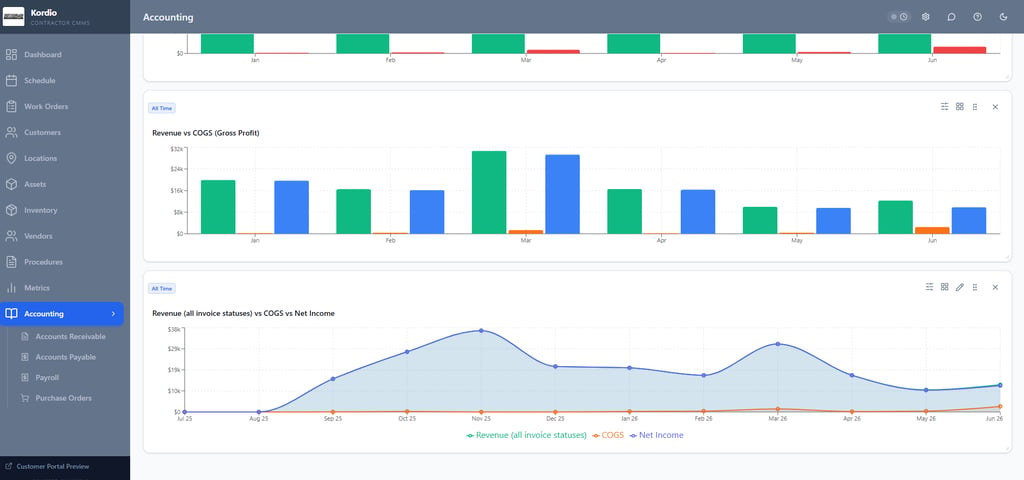
Live Financial Dashboards: Real-time, company-wide financial metrics with customizable widgets to track overall business health at a glance.
Automated Invoicing: One-click invoice generation directly from completed work orders.
End-to-End AP/AR Tracking: Complete Accounts Receivable (invoice tracking) and Accounts Payable (expense management) systems.
3. Payroll & Time Tracking
Mobile Timekeeping: In-app clock-in/clock-out functionality for field technicians and staff.
Seamless Accounting Sync: Direct synchronization of timecard data straight into the core accounting engine.
Customizable Rules: Flexible configuration for custom pay periods, overtime rules, and wage structures.
Productive/Unproductive time: Trace every technician hour directly to work order numbers within your payroll timesheets to cleanly isolate non-productive time from billable client hours.
4. Inventory & Parts Control
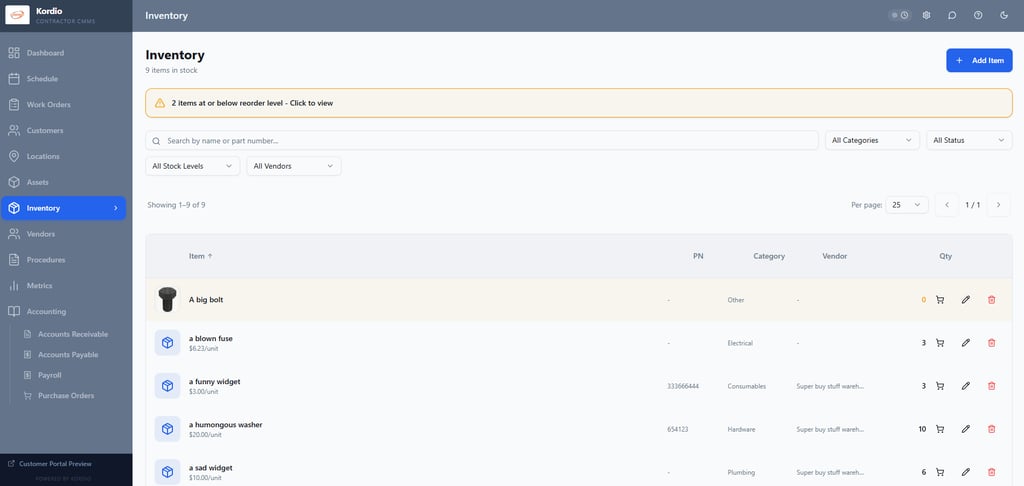
Lifecycle Cost Tracking: Complete visibility into every part and supply dollar from initial purchase order to final consumption on a job.
Automated Stock Controls: Built-in Min/Max inventory thresholds with automated reorder alerts.
Seamless Work Order Integration: Direct allocation of inventory items, manual parts usage, and materials directly to active work orders.
5. Procurement & Vendor Management
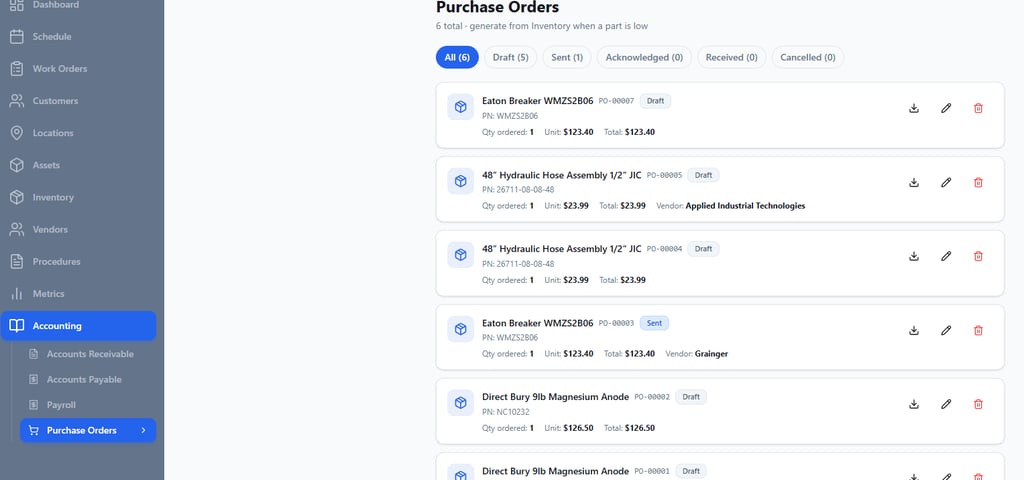
Streamlined Purchase Orders: Direct PO dispatching to vendors with support for automated reordering.
Technician Parts Requests: Field-initiated parts requests that route directly for approval and purchasing.
Accounting Integration: Seamless sync of all issued POs into the Accounts Payable system.
6. Customer Relationship Management (CRM)
Multi-Site Account Hierarchy: Manage complex customer accounts with multiple service locations and contacts under a unified parent profile.
Customer Financial Snapshots: Per-customer profitability insights, including real-time P&L, direct costs, and labor metrics.
Customizable Customer Portal: Customers can see all their work orders, asset history and request work easily.
7. Asset Management
Multi-Location Asset Tracking: Centralized tracking of customer assets across multiple facilities and job sites.
Complete Asset History: Dedicated work order histories, OEM manuals, and technical documentation attached directly to each equipment record.
8. Preventive Maintenance (PM) Program
Flexible Program Building: Build comprehensive PM programs across multi-asset locations with ease.
Route & Visit Optimization: Combine multi-asset maintenance visits into streamlined routes for maximum technician efficiency.
Automated Workload Balancing: Built-in Kanban workload optimizer for dynamic field capacity planning.
Standardized PM Checklists: Build reusable, step-by-step PM procedures with clear pass/fail thresholds and conditional logic to maintain equipment compliance.
9. Advanced Scheduling & Dispatch
Flexible Scheduling Interfaces: Drag-and-drop calendar dispatching, list-view scheduling, or direct scheduling straight from the work order.
Real-Time GPS Fleet Tracking: Live location tracking of field technicians for accurate ETA management and emergency dispatch.
10. Automated Receipt & Expense Capture
One-Click Mobile Receipt Upload: Field technicians can instantly snap and upload expense receipts.
OCR & Automated AP Coding: Intelligent receipt parsing that automatically codes and converts receipts into Accounts Payable records.
11. Branded Customer Portal
White-Labeled Client Experience: Dedicated, branded self-service portal giving clients tailored access to their operational data.
Direct Work Requests: Online service request submission that flows seamlessly into the dispatch queue as pending work orders.
12. Data Import, Export & Security
Hassle-Free Migration: Full import/export engines to easily migrate data to and from legacy software.
One-Click Data Backups: Instant full-system data backups to guarantee data integrity and security.
13. Offline Support
Automatic offline mode: After initial load, if a user looses connectivity in the field, they can continue working. The database syncs as soon as connectivity is restored and no data is lost. This feature is fully automatic and seamless.



Gallery
Snapshots of kordio in action, helping field teams stay on track.


Kordio transformed how we manage jobs on the go—simple, reliable, and exactly what our team needed.
J. Lee


★★★★★